One quick thing before you download
Windows will show a security warning.
Vozcribe is currently unsigned, so Windows SmartScreen may show a warning during installation. This is common for new independent apps that have not built a Windows reputation yet.
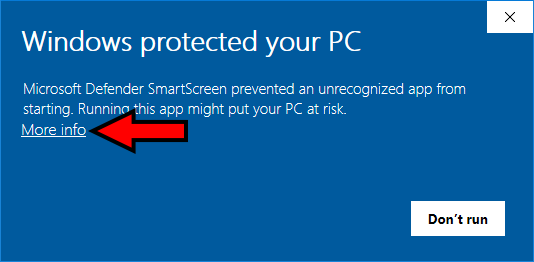
Step 1
Click More info
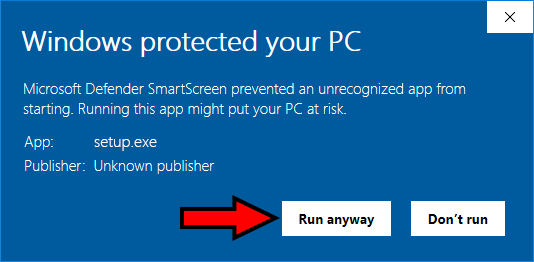
Step 2
Click Run anyway
Audio is sent over HTTPS and never stored on disk. Uninstall anytime via Settings → Apps.
Got it — Download Vozcribe